
The driving school has its own app (Streamways) that guides you through the course. Download the app to your phone and turn on notifications for the duration of the course to receive important notifications about upcoming driving lessons and any changes to them. You can log in to the app with the credentials you created when you registered. You can also log in to the learning environment with your browser by clicking here.
On this page you will find instructions on how to use the app, as well as other relevant information about the course. Your journey starts here!
Download the app using the buttons below.

Starting the course
You can start your theoretical studies right at the beginning of the course, regardless of your payment method. If you have chosen Epic invoice as your billing method, you will be able to complete the course at the same pace as your payments. If you have chosen a one-off payment or Klarna, you will have access to all services immediately.You can start your driving school theory online at your own pace, when it suits you best. ❤️
Driving licence permit
At the start of driving school, you will need to obtain a driving licence. You will need a driving licence to sit the theory and driving test, so it's best to get one as soon as possible.
Epic application
Through the Epic app, you will complete the theory part of the course, practice for the theory test, and book your driving lessons. You can also use the app to set your preferred learning pace and view the status of your invoices. If you have any questions during the course that you can't find the answer to in the app, you can always contact us our customer service team at.
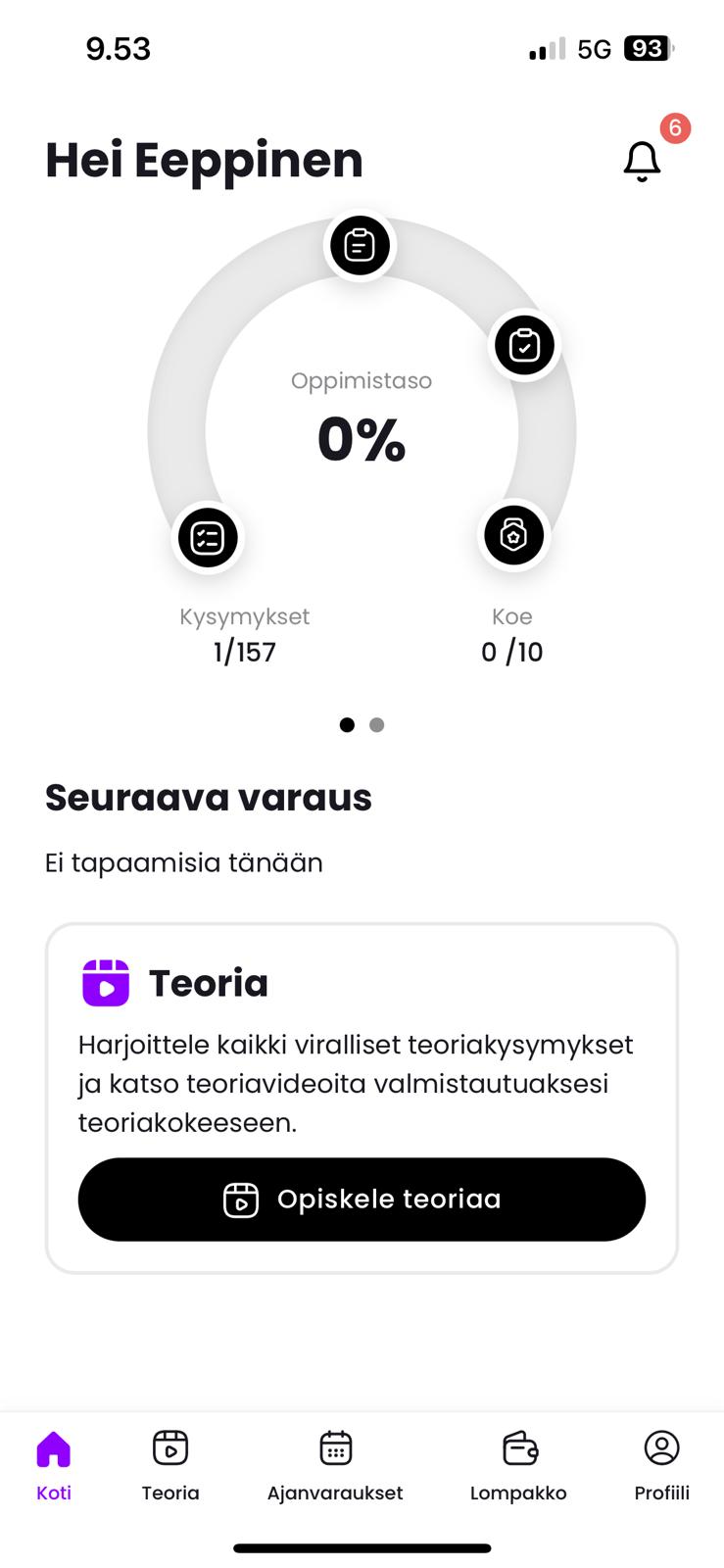
Home screen
From the home screen, you can see your progress, as well as notifications from the app. You will receive notifications such as new invoices, approved or proposed lesson bookings and other relevant course events. We recommend that you keep the app notifications on for the duration of your course.
The speedometer on the home screen tells you the progress of your self-study. Swipe left to see the progress of your coursework
Self-study and theory lessons
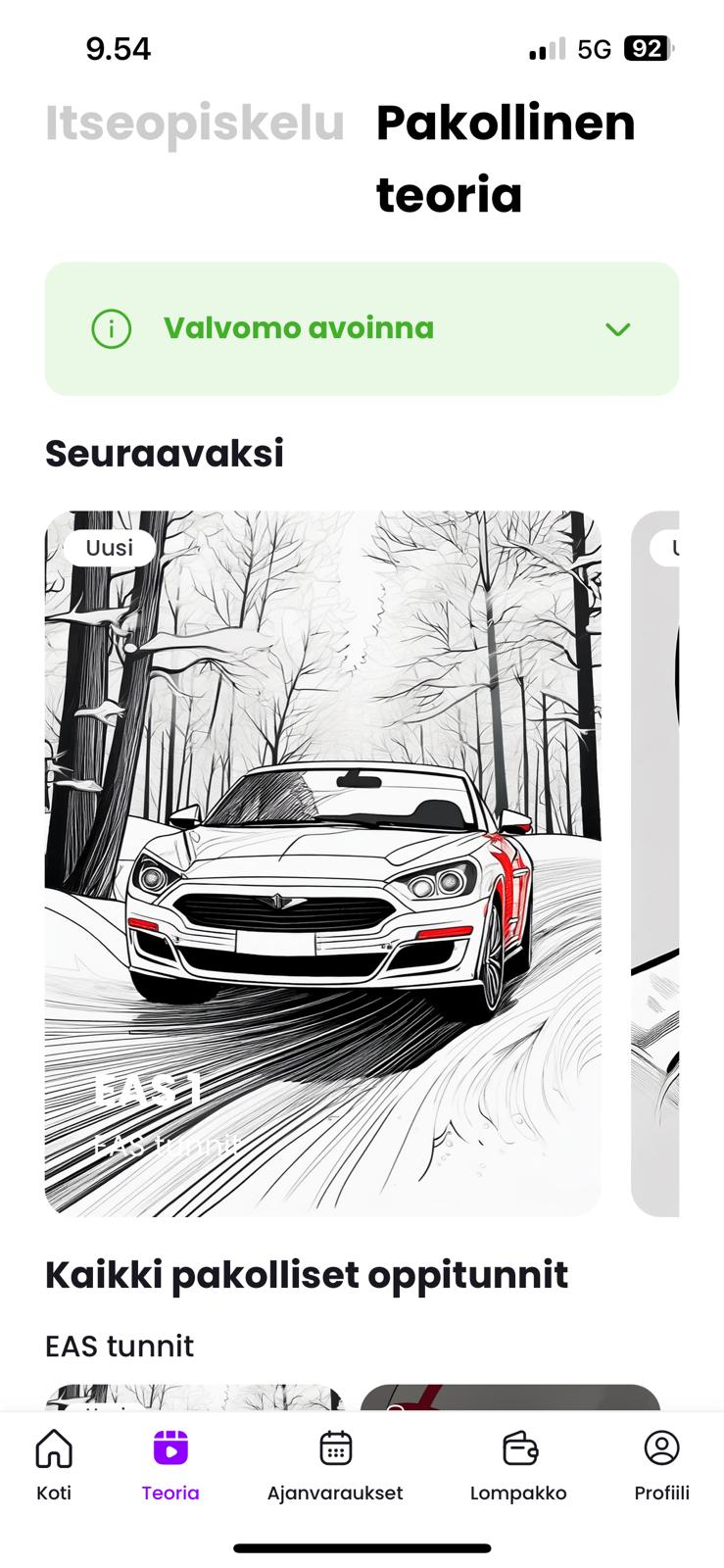
In the theory section, you can complete the compulsory and optional theory lessons of the course, practise the different aspects of the course as self-study and use the theory practice programme. The compulsory theory lessons included in the course must be completed during the control room's opening hours. The opening hours can be found in the theory section by clicking on the green box. You can move between the self-study section and the compulsory theory lessons by clicking on the text at the top.
If you have any questions about the theory materials or questions, please contact opetusmateriaalit@epicautokoulu.fi. Remember to include the image/question number in your message so that we can better assist you.
If you experience technical challenges in completing the self-study, you can call the control room at 010 524 5480
Appointments
In the "all" view of your bookings, you can see all upcoming theory and driving lessons, as well as active booking requests.
You can make a new appointment by clicking on the "New appointment" button.
Theory lesson bookings
All compulsory theory lessons included in the course can be found in the Theory section, where you can complete them at your own pace without having to register separately.
You must register for additional theory lessons by appointment. You must register for lessons no later than 4 p.m. on the preceding weekday (Mon–Fri).
Simulator driving hours
You can book simulator lessons directly from the booking screen by selecting "Simulator".
The app will show you the address where the simulator is located. After booking, check the documents section for the simulator manual, which will contain your login to the simulator and instructions on how to use the app to open the office door.
Please note that the risk detection simulator driving exercises included in the course are only carried out in the final stages of driving school, once you have gained experience of driving on the road. You can therefore only book the first 2-6 basic simulator sessions before the driving lessons in a real car with your instructor. The number of basic drives depends on the package you buy.
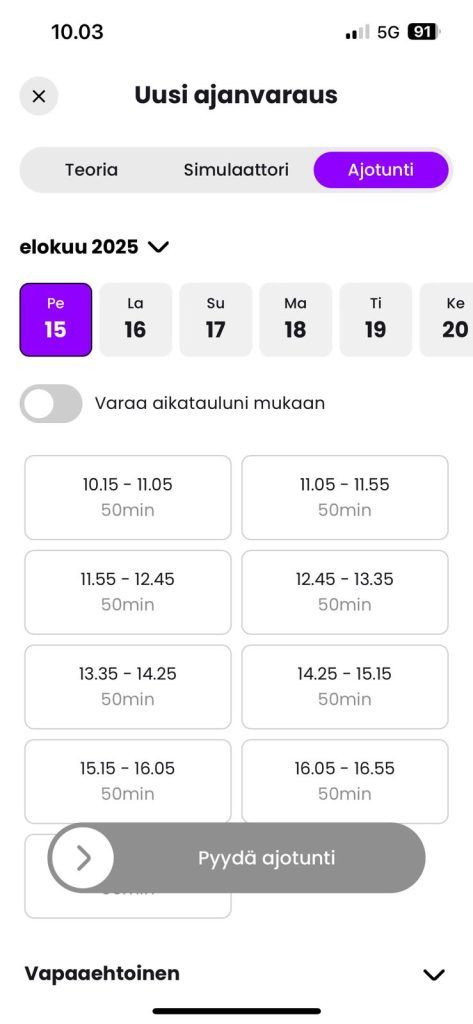
Driving hours
For driving lessons with the right car, a booking request will be sent to your instructor in the booking view. The instructor can accept the lesson, or suggest another suitable time for the lesson.
Wallet
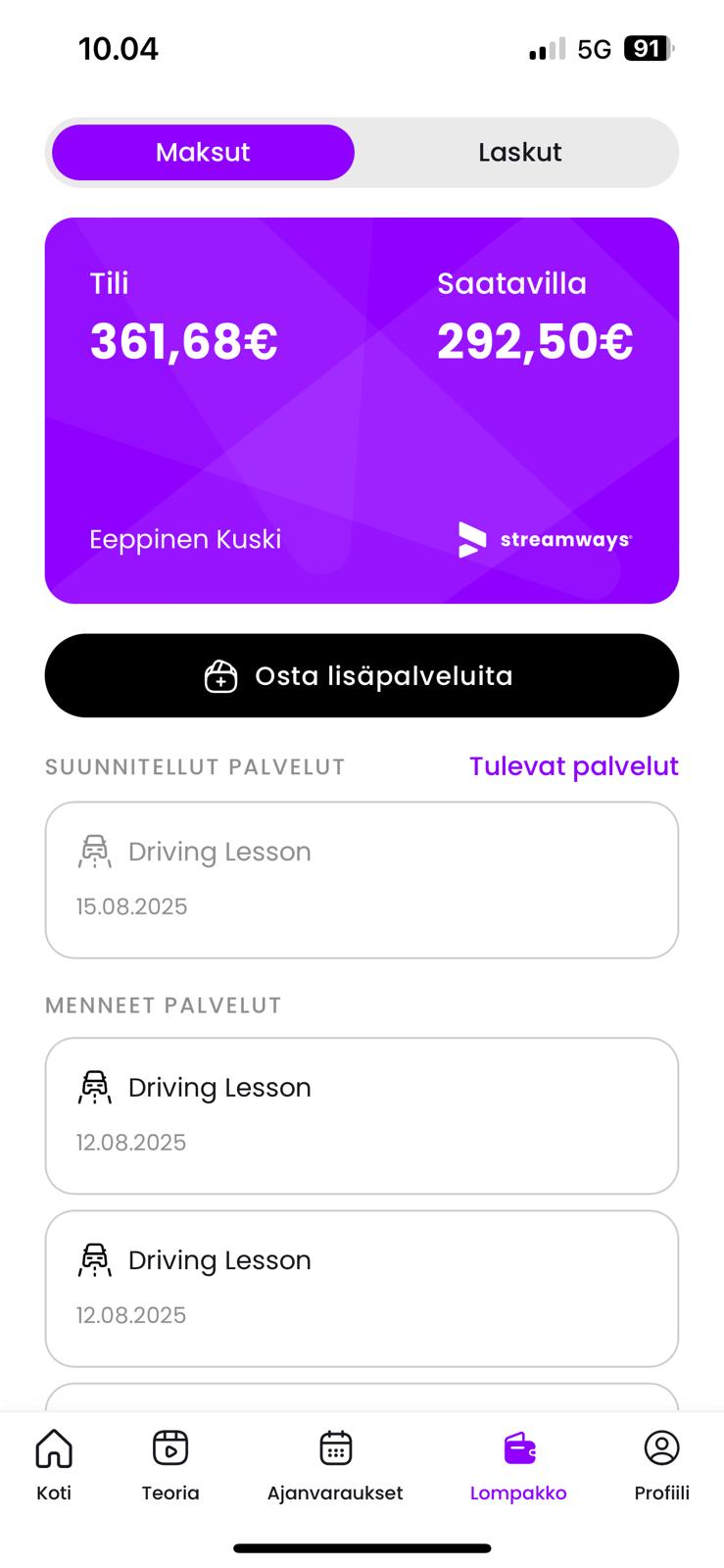
In the Wallet view, you can see the available balance, upcoming and past transactions, as well as invoices for your course. You can also purchase additional services, such as extra driving lessons, from this view.
You can complete course events at the same pace as your payments. For example, if you have paid half of the course fee, you can use the services up to the balance on your account. The balance decreases as you use the services and increases as you make payments. If you have paid for the course with a one-off payment or with Klarna, the balance will be full at the beginning of the course, giving you access to all services.
If you have any questions about invoices, you can contact our customer service directly.
Profile
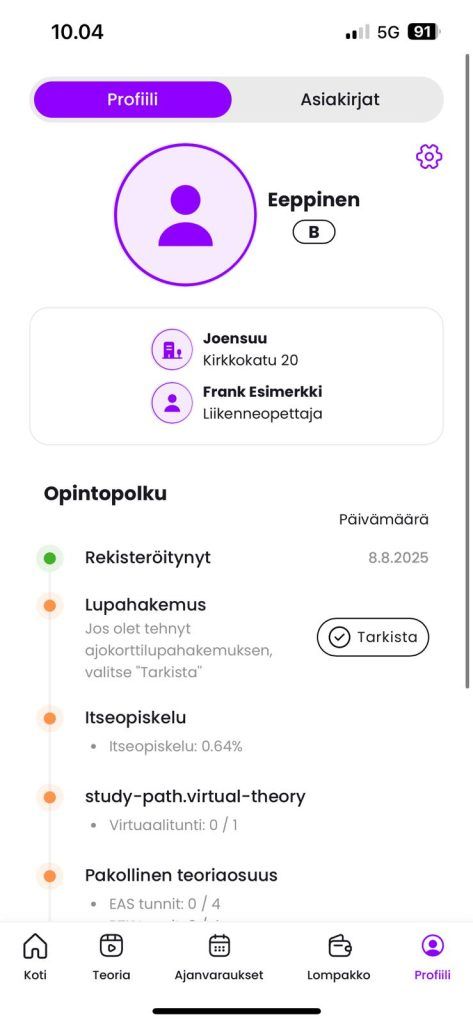
In your profile, you can see the location where you are taking the course, your teacher's details and your study path. The learning path serves as a checklist of essential course events, as well as an illustration of the status of your course completion.
Profile settings
You can access the profile settings by clicking on the cogwheel symbol. Here you can edit your personal details, such as your app password.
In the Learning pace section, you can set your preferred target timetable for completing the course. The app will guide your progress according to the learning pace you choose. You can also set a personalised learning pace if you wish.
Under My availability, you can choose the times when you are available for driving lessons. We recommend you set the widest possible availability so that the instructor can suggest times with your flexibility and the course can progress.
In your profile settings, you will also find the legal privacy notices and terms of use of the Epic app's system partner Streamways.
Documents
The documents include the training contract, Epic Driving School's terms and conditions and the privacy policy that the customer has accepted when registering. The documents will also include important instructions for the driving school studies.
Theory test and what to bring to the theory test
Theory test
You can take the theory exam once you have completed all the theory lessons in the course, as well as the self-study assignments.
You can take the theory test at least one month before the age requirement. If you are studying with an age waiver, you can take the theory test at the earliest when you are 17 years old. You can take the T category theory test at the earliest at the age of 15
You must have obtained a driving licence permit before the theory test.
You can book a theory test at ajovarma.fi with the driving school code "epicautokoulu/turku".
The theory test without a time limit is booked by visiting the Ajovarma office. A dyslexia certificate must be presented at the time of booking.
What to bring to the theory test?
- Money / debit card for the trial payment
- Photo ID (passport, ID card, driving licence)
- Valid driving licence
Driving lessons and how to book them
Driving lessons in the simulator
The simulator lessons are conducted independently at the site. The simulator lessons are supervised remotely by a business teacher, who will assist you if necessary.
You can book your simulator lessons directly from the app's booking page. You can book times at different locations, so you have the flexibility to run simulator lessons at different locations if you wish.
You can open the door of your branch using the Securitas Flow mobile app. After registering for the course, you will receive an email from noreply@flow.securitas.com. The message may go to your spam folder, so please check it. The link in the message will take you to the Securitas Flow app. For instructions on how to use the Securitas Flow app, please refer to the Epic app documentation.
Driving lessons with a teacher
Send a lesson request to your teacher in the Epic app. The teacher will either accept the lesson, or suggest another time. You can also set your own availability in the app's profile settings.
- For AM & A classes, the theory test must be passed before the driving lessons can be booked.
- AM120 driving lessons can only be taken once the student has reached the age of 15.
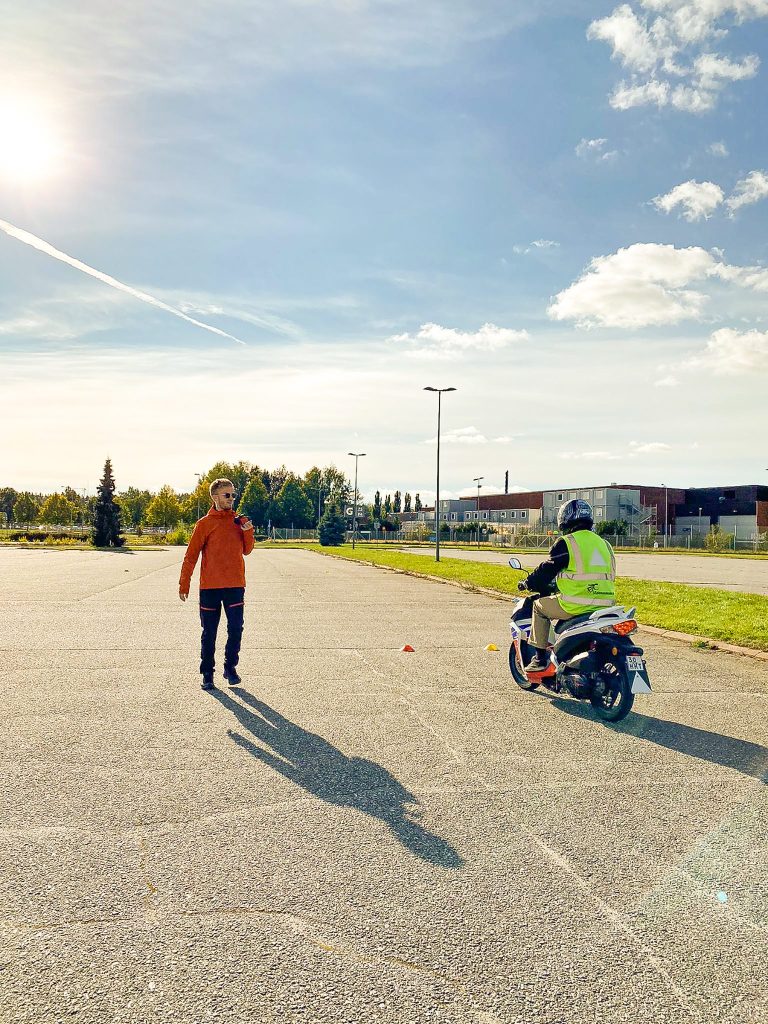
- A1/A2/A handling exercises are carried out on the closed handling area of the driving school.
Cancellation of driving hours
What if I can't make it to my driving lesson?
Cancellations must be made via the app or to Customer Services at least 24 hours before the start of the lesson.
If a lesson is cancelled or cancelled too late, we will charge 50% of the lesson price according to the terms of the contract.
Please note that the cancellation condition applies to all lessons, including simulator lessons.
Billing and payment methods
More information on course billing and payment methods
Epic offers several different payment methods to pay for a course and the payment method you choose will partly affect the course. Below you will find information on the different payment methods:
Epic invoice
- You can pay your invoice in 1-4 instalments. Invoices will appear in the Epic app shortly after registration.
- Once you have paid the bill, the corresponding balance will be transferred to your Epic account. Once you have a balance in your account, you can, for example, take theory lessons or make driving lesson bookings.
- You can pay your bill in advance, before the due date, and the balance will be available to you as soon as the payment is registered.
- If you pay for a course in a lump sum (1 instalment), you will receive the full balance in your course account as soon as the payment is credited to Epic.
- You can find your bills in the "Wallet" section of the Epic app
Klarna / credit card payment
- If you pay for the course with Klarna / credit card, you will receive the full balance of the course immediately in your course account. This means that you will have access to the full service right from the start of the course.
- You can pay for the course via online banking. As soon as you log in, you will have access to all the course content.
Regardless of the payment method, you will receive an electronic receipt of your transaction/order by email.
- If you have a Gmail/Hotmail/Live account, be sure to check your email spam folder as well.
- Invoices will be sent an automatic payment reminder 14 days after the due date.
- When paying, always use the reference number and amount for that invoice.
Pause a course
I don't want to take part in the course
If you wish to cancel your course, please contact our invoice support at laskutus@epicautokoulu.fi.
In the event of a course interruption, our current terms and conditions apply.
Please note that if you move to another location, for example, you can change your course location and continue to complete the course at another of our locations. In this case, there is no need to interrupt the course. In this case, please contact our customer service by phone, email or on-site at our office. Please note that if you change location, the price of the service order will be checked against the price list of the location where the training will be completed.